Viplex Express 4:Setting Up a Demo Poster to Build Playlists
If you are not connected to a screen in Viplex Express 4 then you are not able to build playlists to upload to USB. You can get around this by switching into demo mode and adding a fake screen.
To do this:
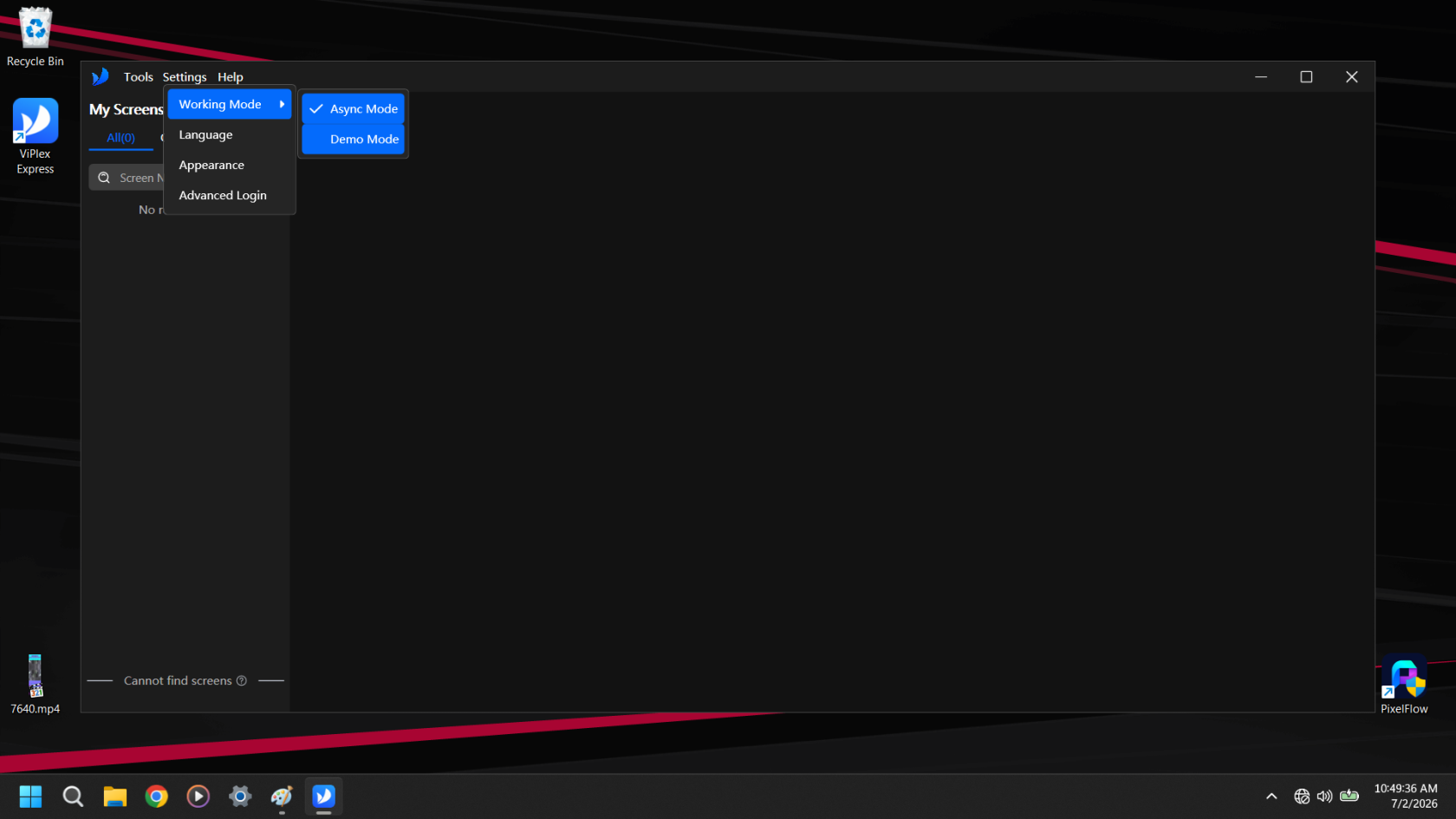
Click settings, go to working mode and then select Demo Mode
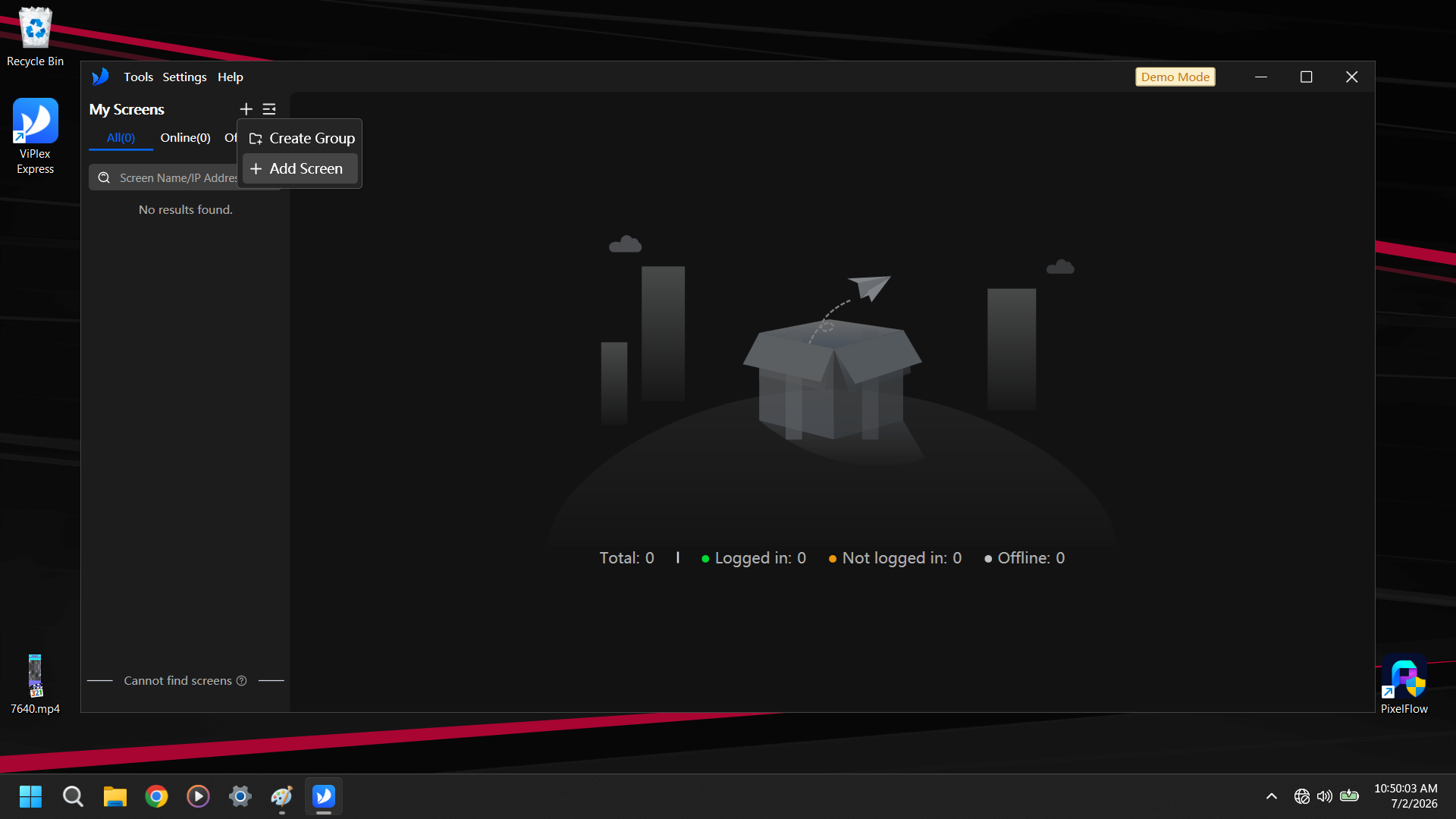
Now Click the + next to My Screens and select +Add Screen
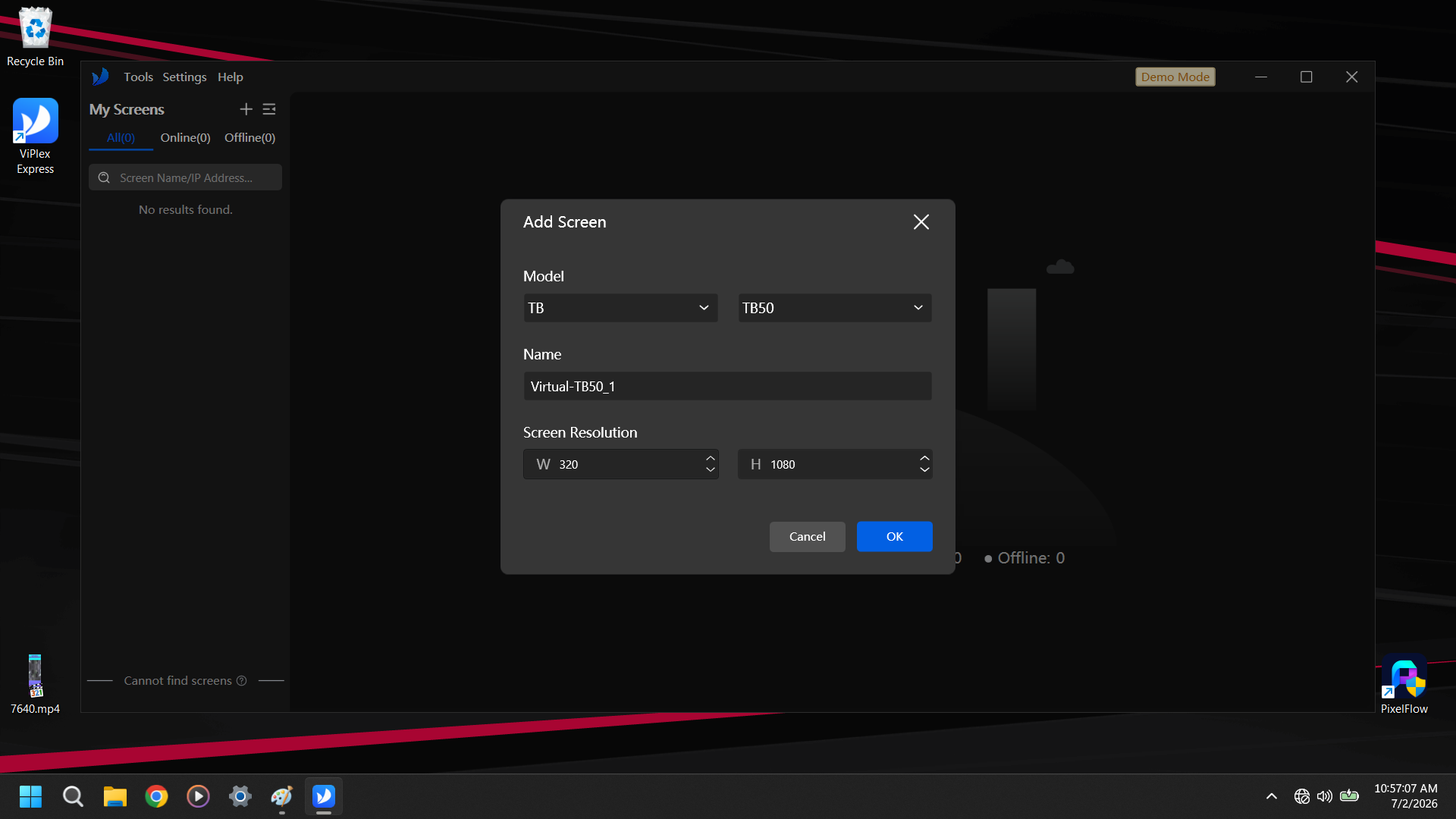
Now Select TB and TB50, Set Resolution to 320x1080 and hit OK.
You can also set it to 640, 960, 1280, 1600, or 1920 if you are building a playlist to stretch across 2-6 posters.