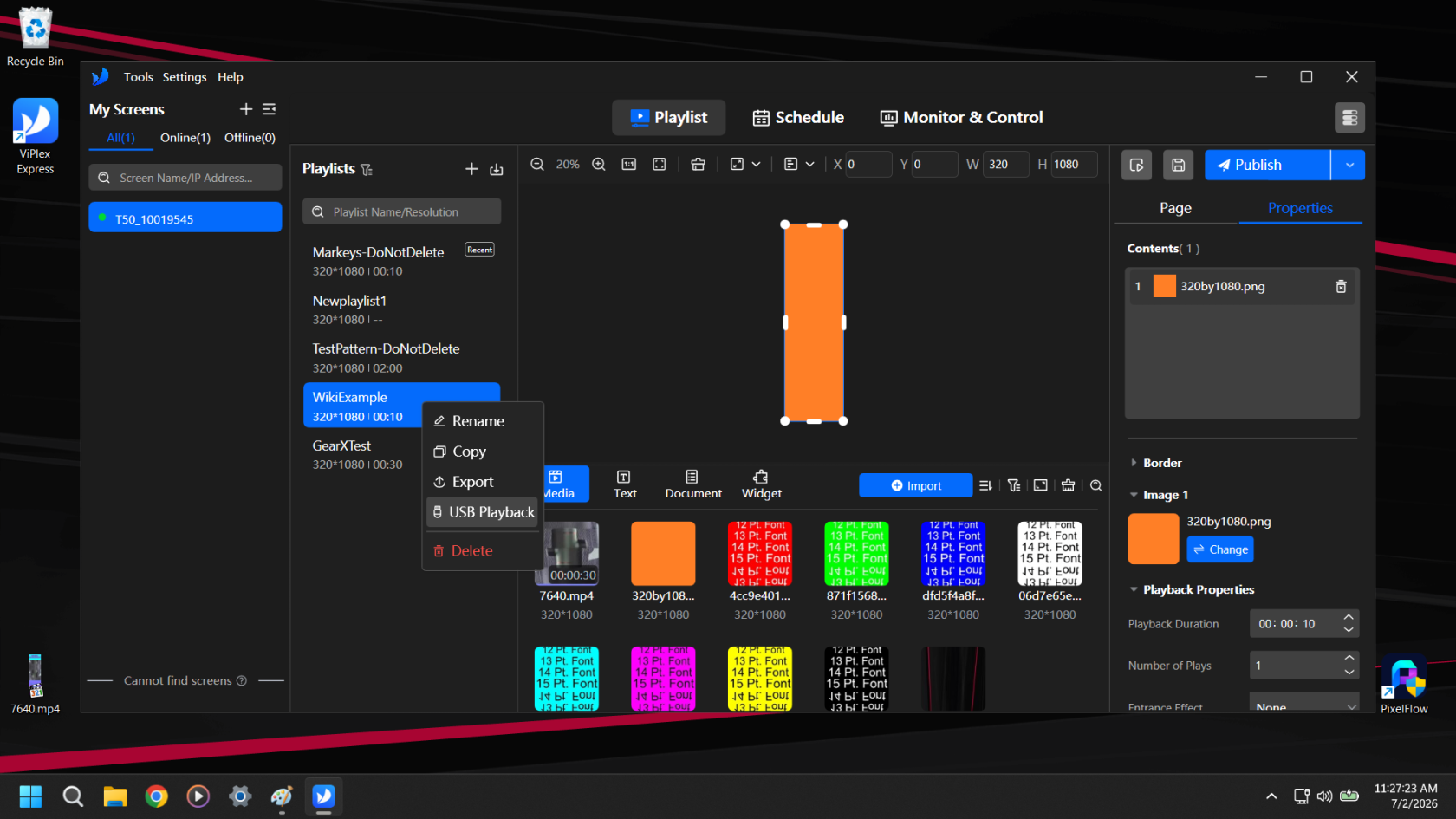
Right click the Playlist you want to export and select USB Playback
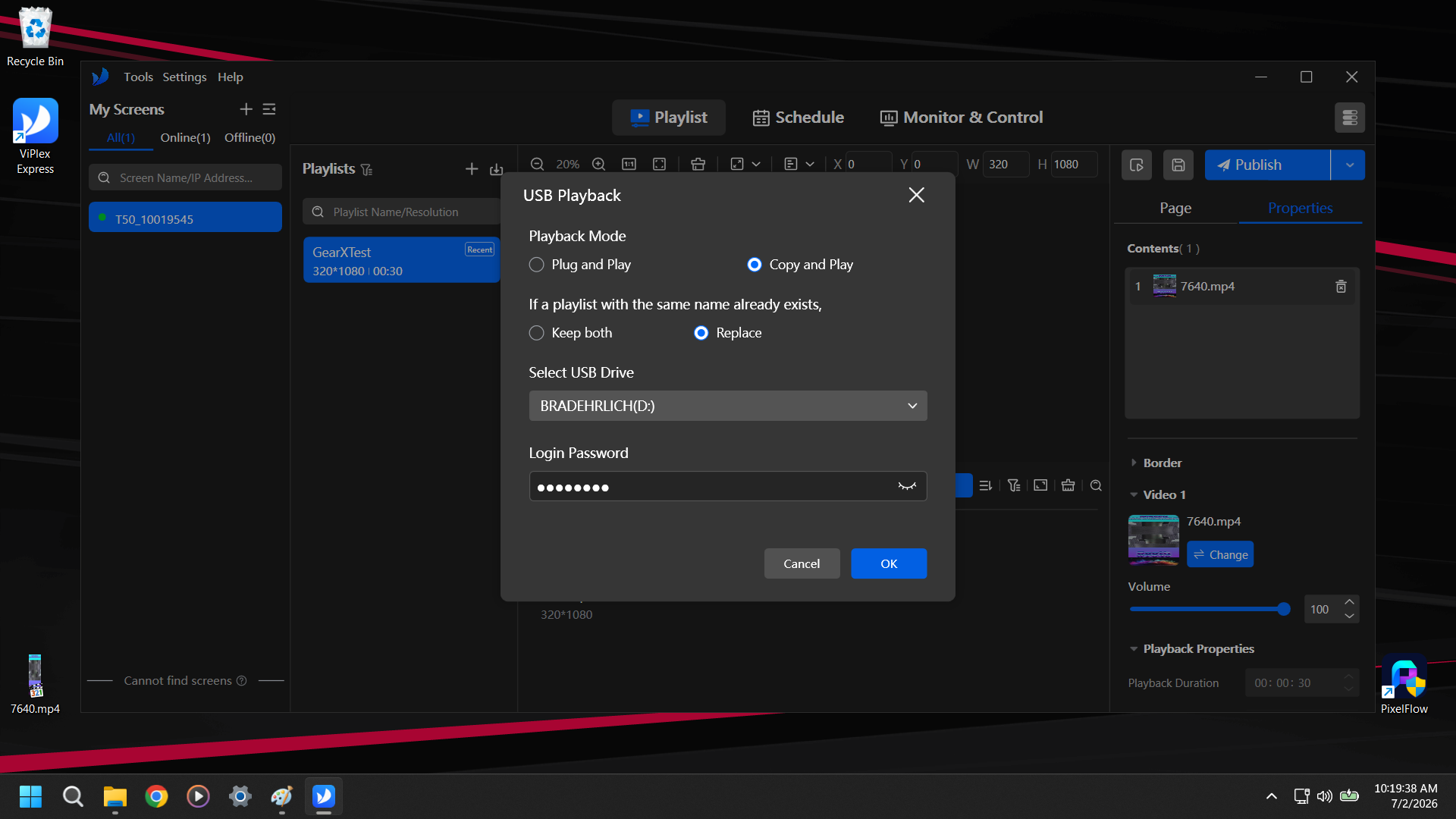
Select the Playback mode and Replace/Keep behaviors you want. Typically we use Copy and Play and Replace. Select the USB Drive and Type the password for the specific model of Poster you are working with. Hit OK.
This is the Poster Password, not SSID Password so for Transtech Posters it is just 123456.