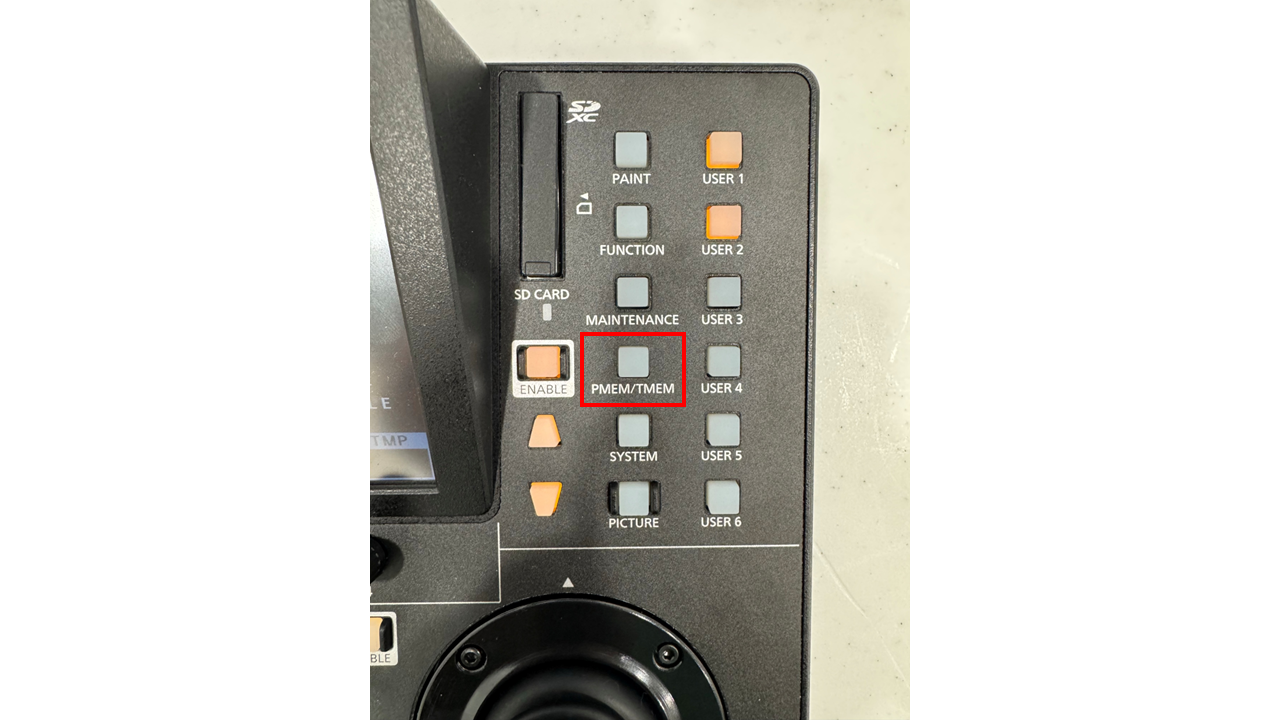
To access the Presets menu, click the "PMEM/TMEM" button on the right side of the controller.
Keep in mind, Presets will save ALL information that is currently active in the camera's current state, including White Balance, Gain level, Iris Mode, Focus Mode, etc.
To SAVE Presets, first select your camera and establish the shot you want to save.
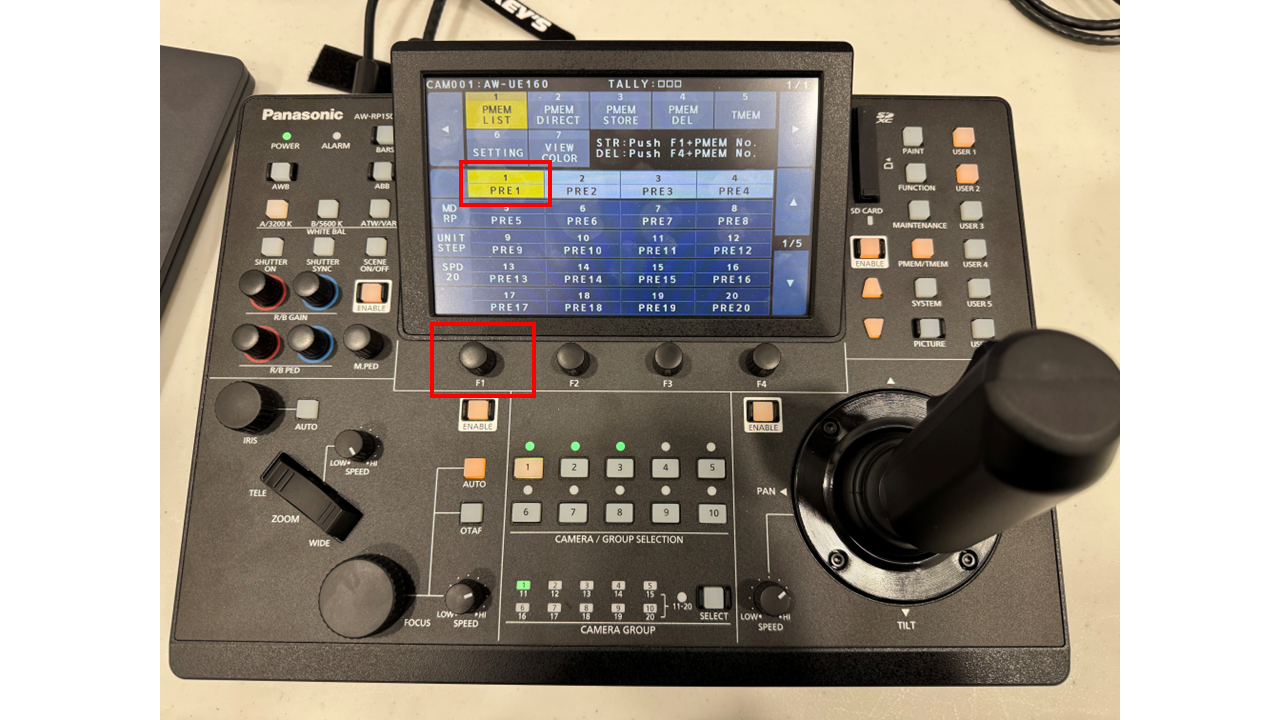
Press and Hold the "F1" knob. While holding, click the Preset number you want to save on the touchscreen of the controller. Once saved, the Preset box will turn light gray.
To RECALL Presets, simply click the Preset box on the touchscreen of the controller.
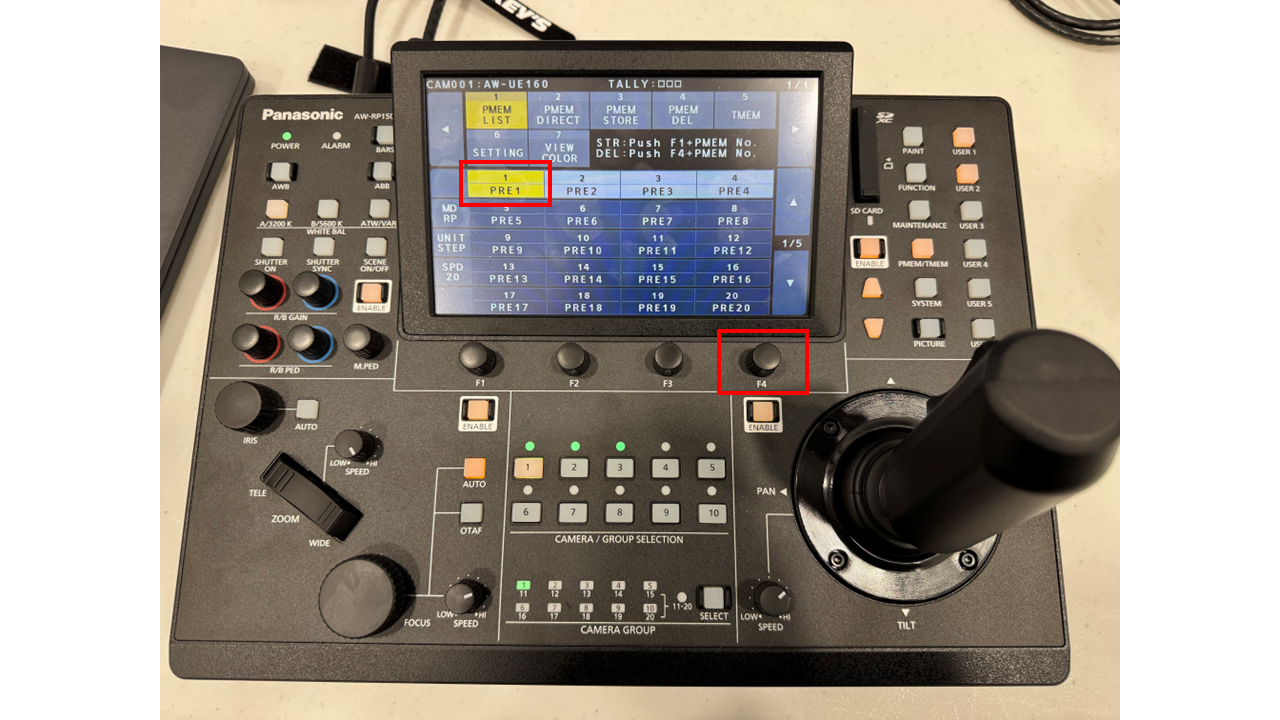
To DELETE Presets, Press and hold the "F4" knob. While holding, click the Preset number you want to delete on the touchscreen of the controller. Once deleted, the Preset box will turn dark gray.