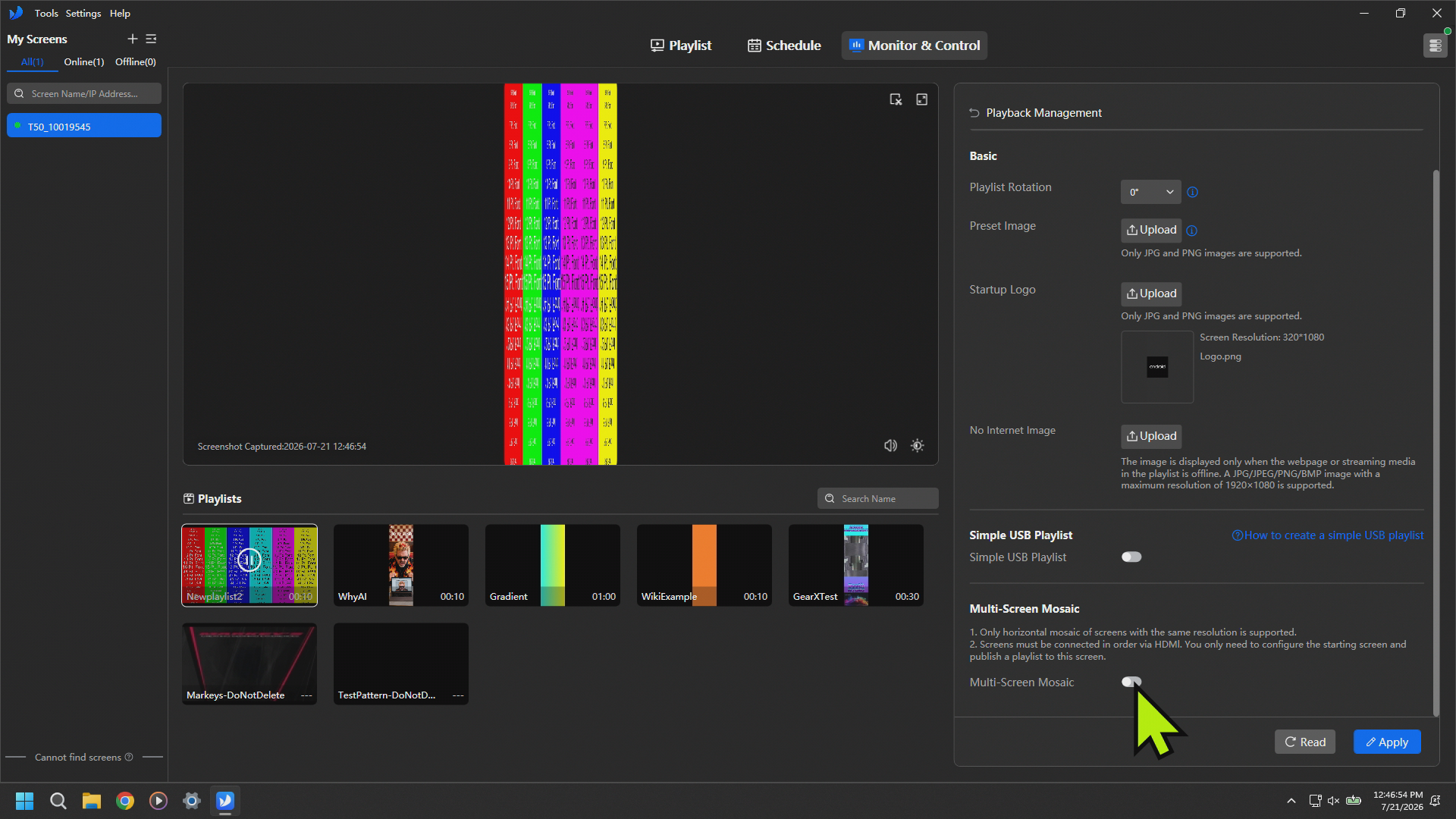
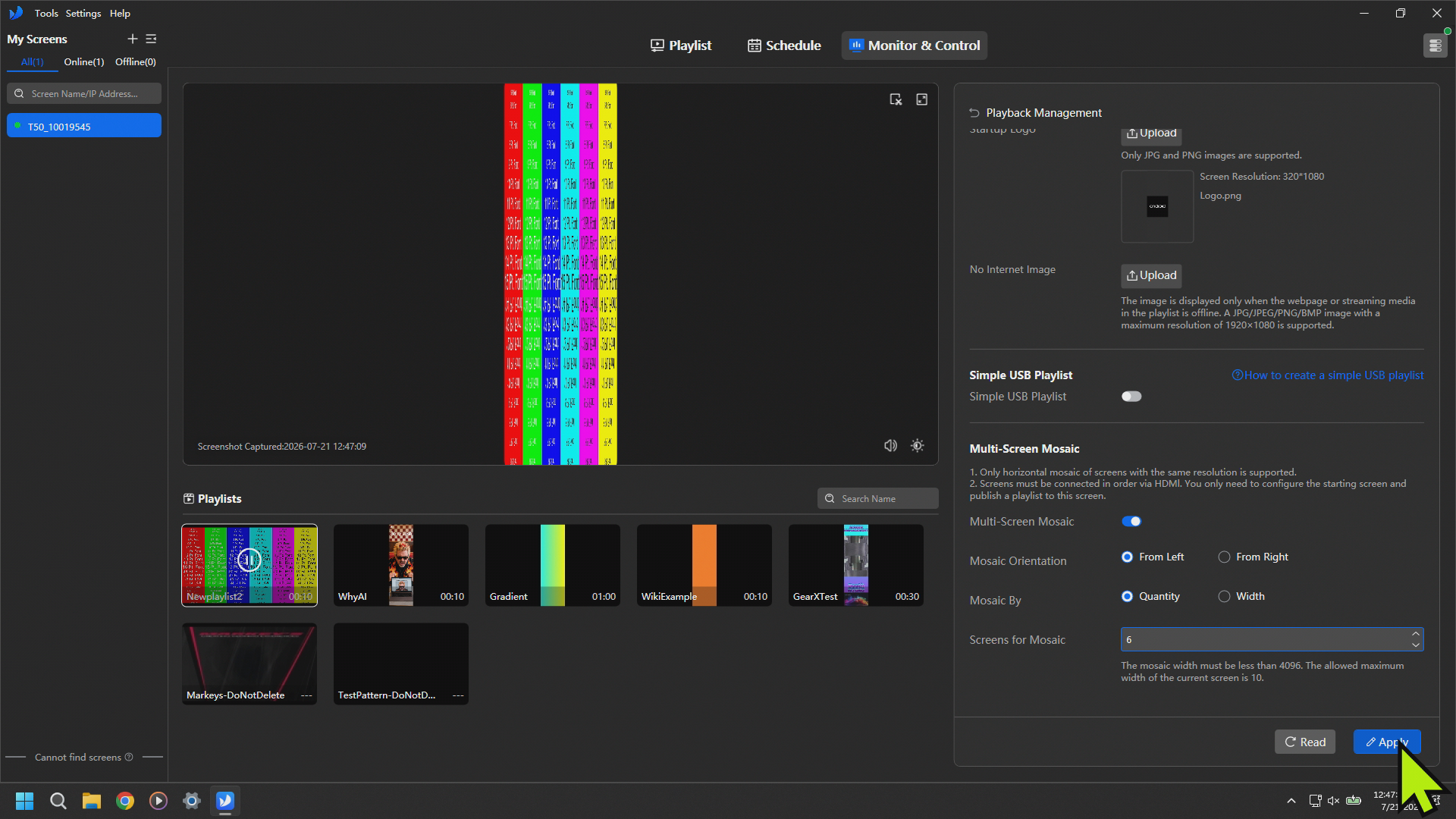
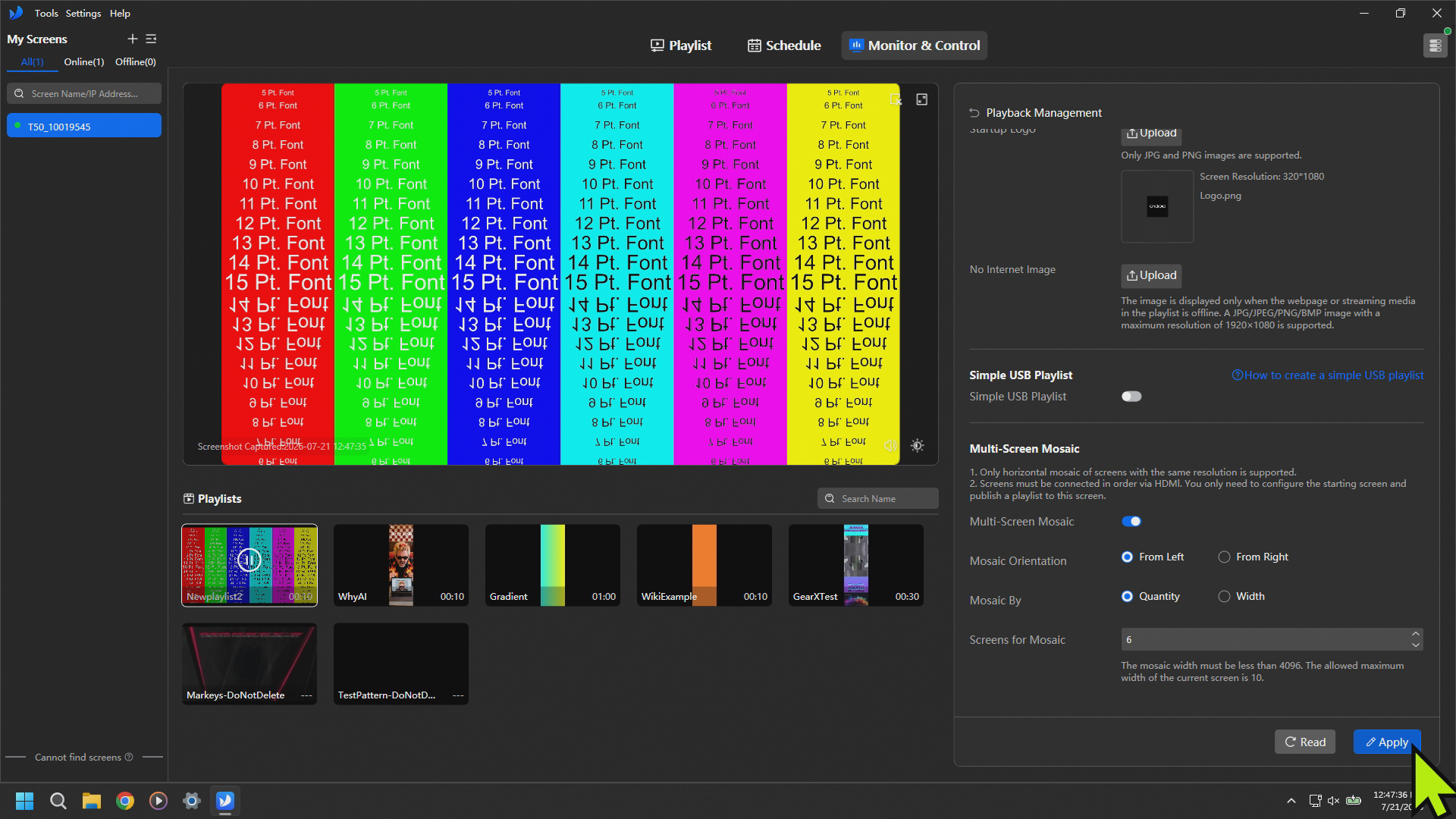
If you are just taking a single slice of a 1920 x 1080 image you need to make sure your Orientation is From Left. If you are using multiple posters as a Canvas you need to make sure that you have selected the orientation that matches the direction which you ran your HDMI Cables between the Posters.
TheYour ImagePlaylist Should beLook Properly on the PostersCorrect