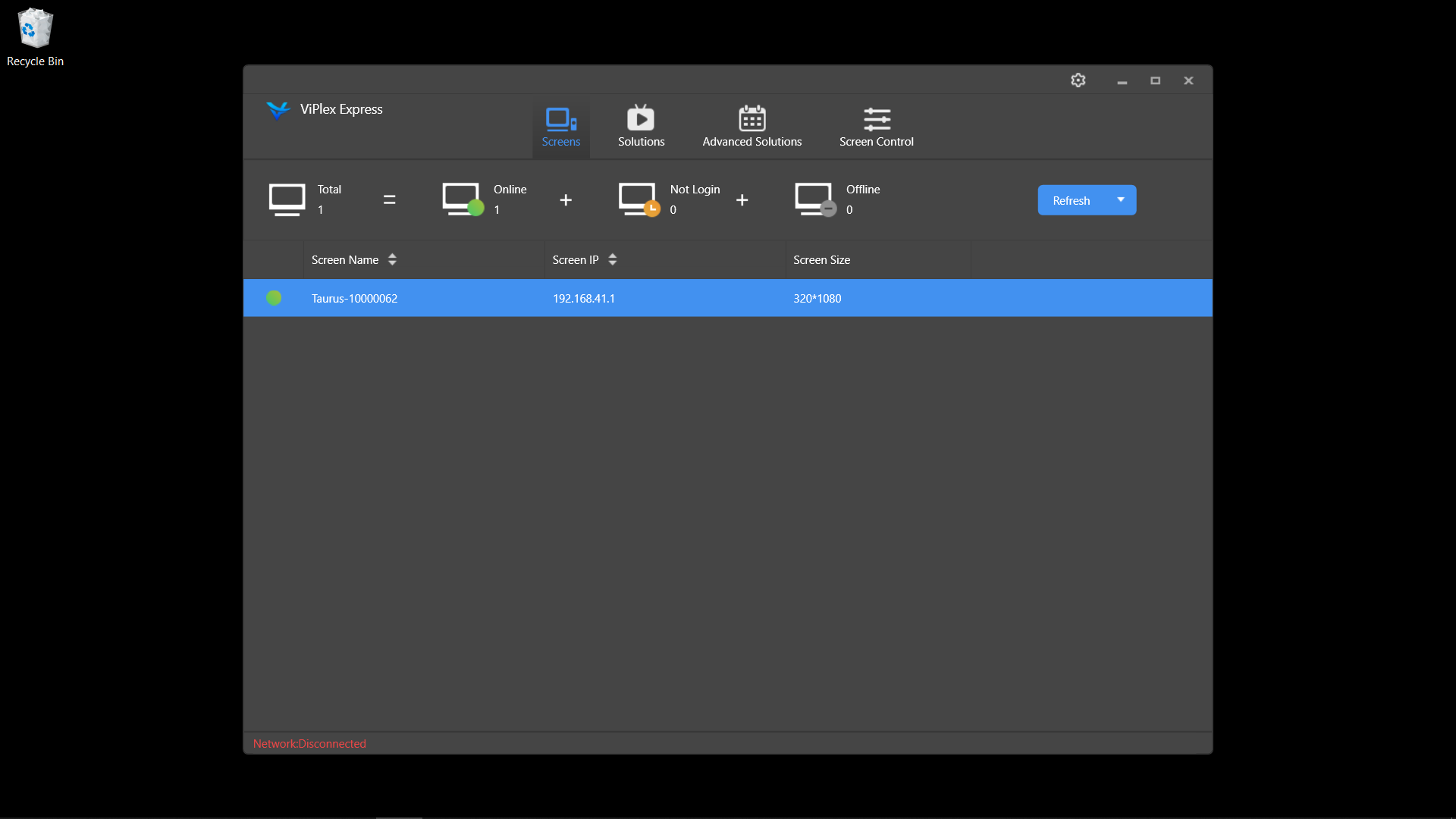
Quick Start v3.0 (Windows)
Please note that the images in this guide are for of the Transtech LED Posters, Labeling and Label location will vary slightly for our Theatrixx LED Posters.
Requires
- A wifi capable computer running Windows or DHCP backed hardline network
- ViPlex Express v3
1. Turn on the Poster
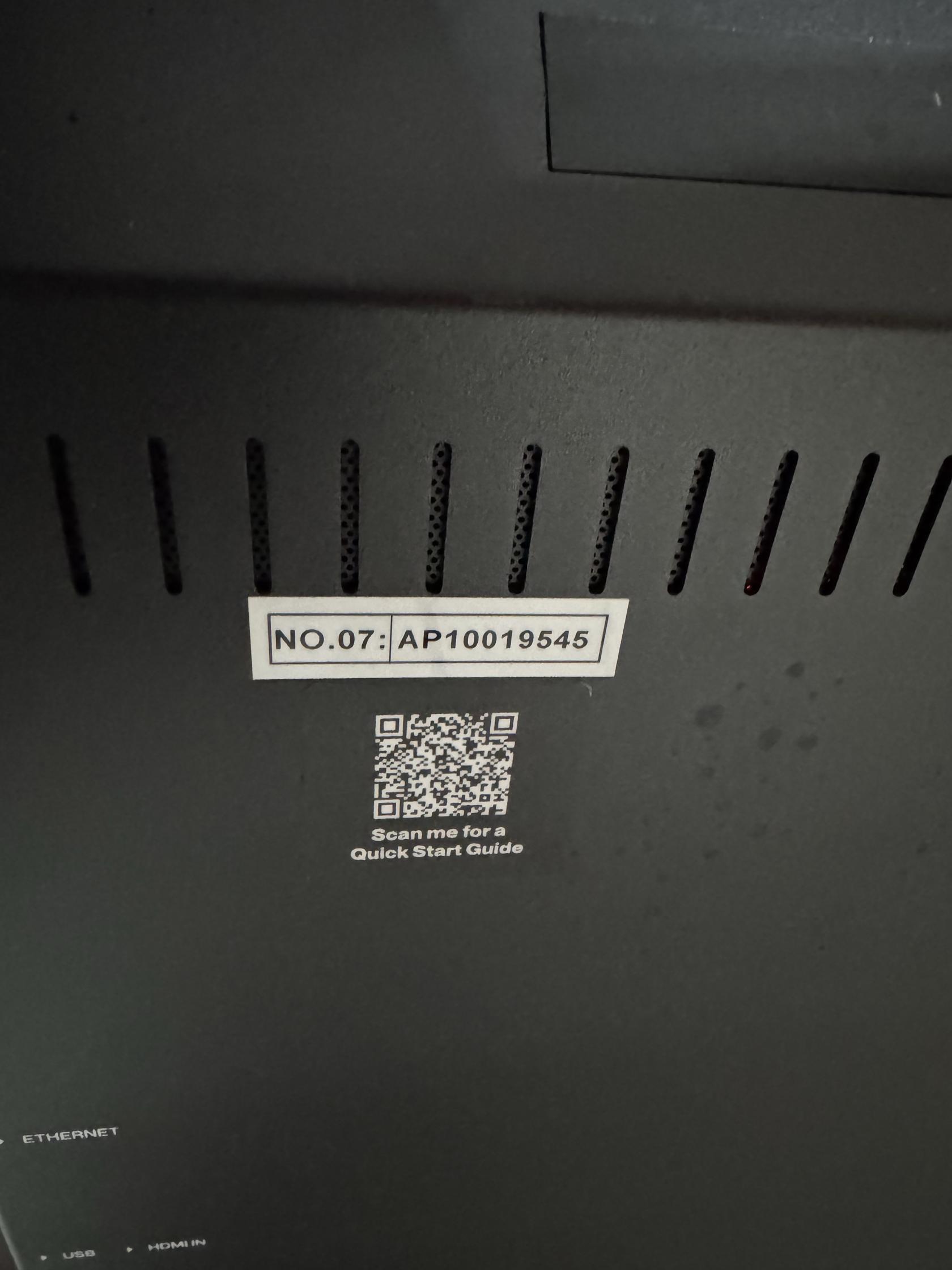
2.Find the Poster's Name on the Back of the Poster
- It will be a Number preceded by the letters AP
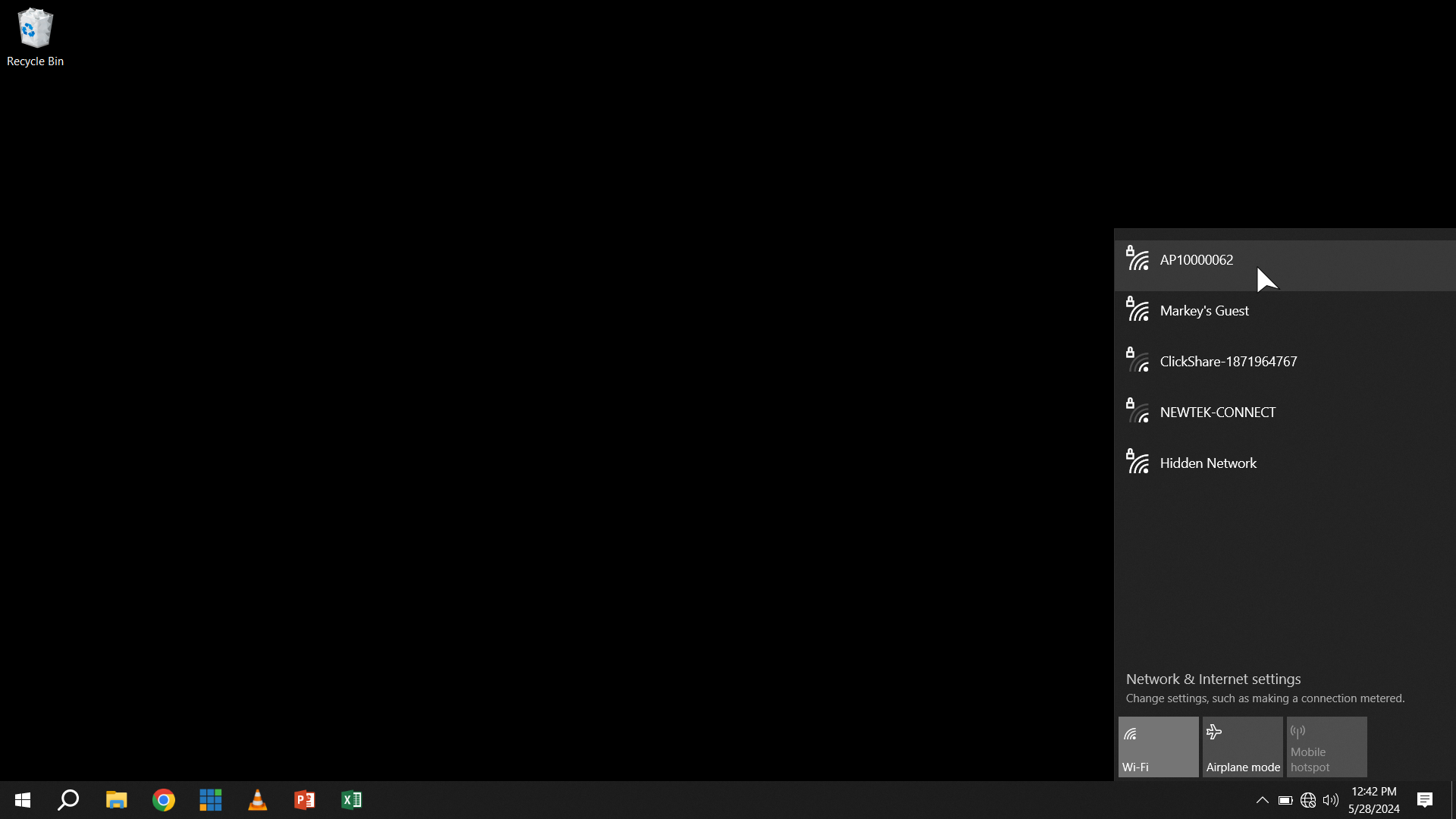
3. Find the Poster's Access Point in WiFi
- For Transtech Posters the Password is 12345678
- For Theatrixx Posters the Password is SN2008@+
- Skip this step if on a hardline network
4. Open ViPlex Express
- It should open to a screen showing that you are Connected.