Skip to main content
Setting the Video Standard
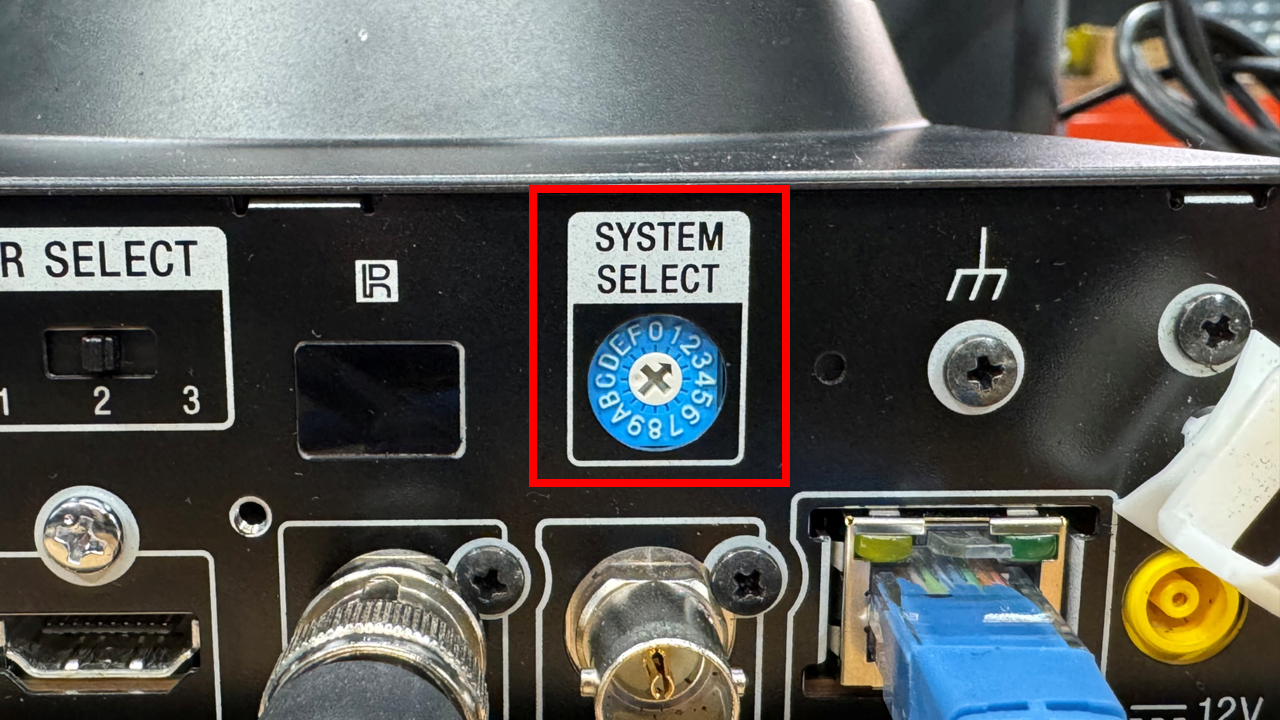
To set the camera's video standard, I will first introduce you to the "System Select" knobdial on the back of the camera.
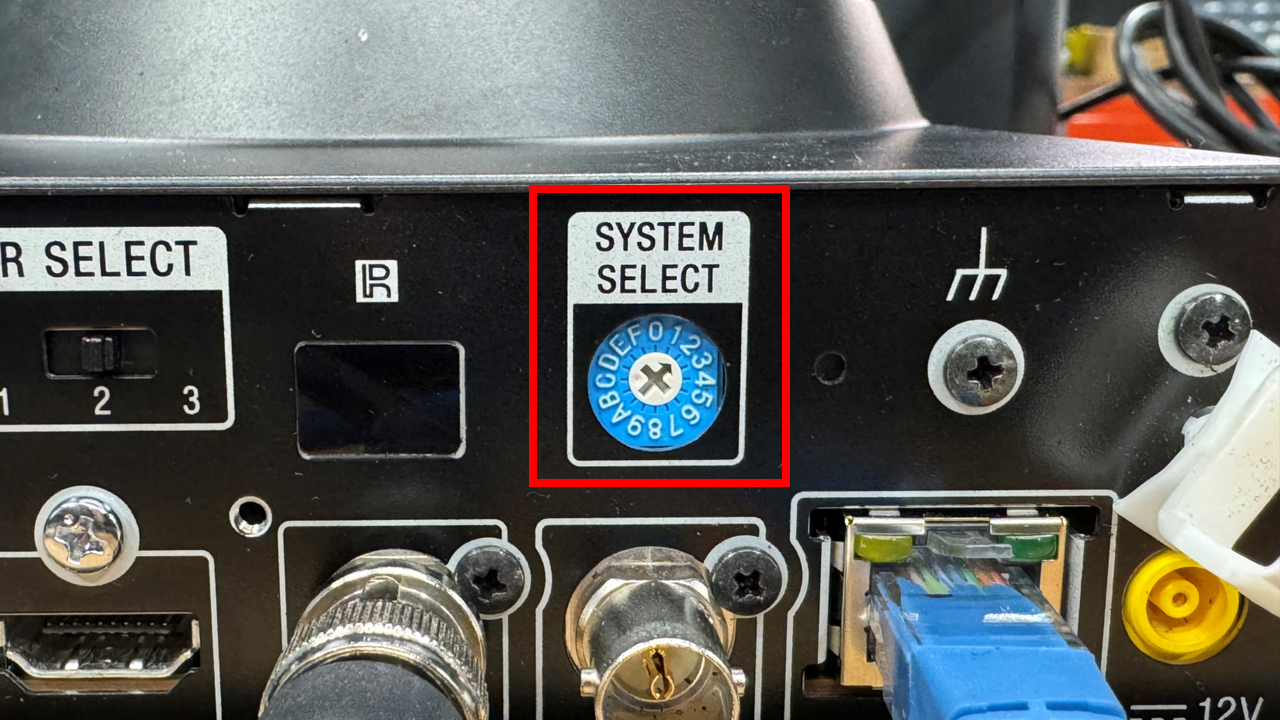
You'll notice the crosshair of the knobdial has an arrow; this indicates which number or letter the camera will be set to.
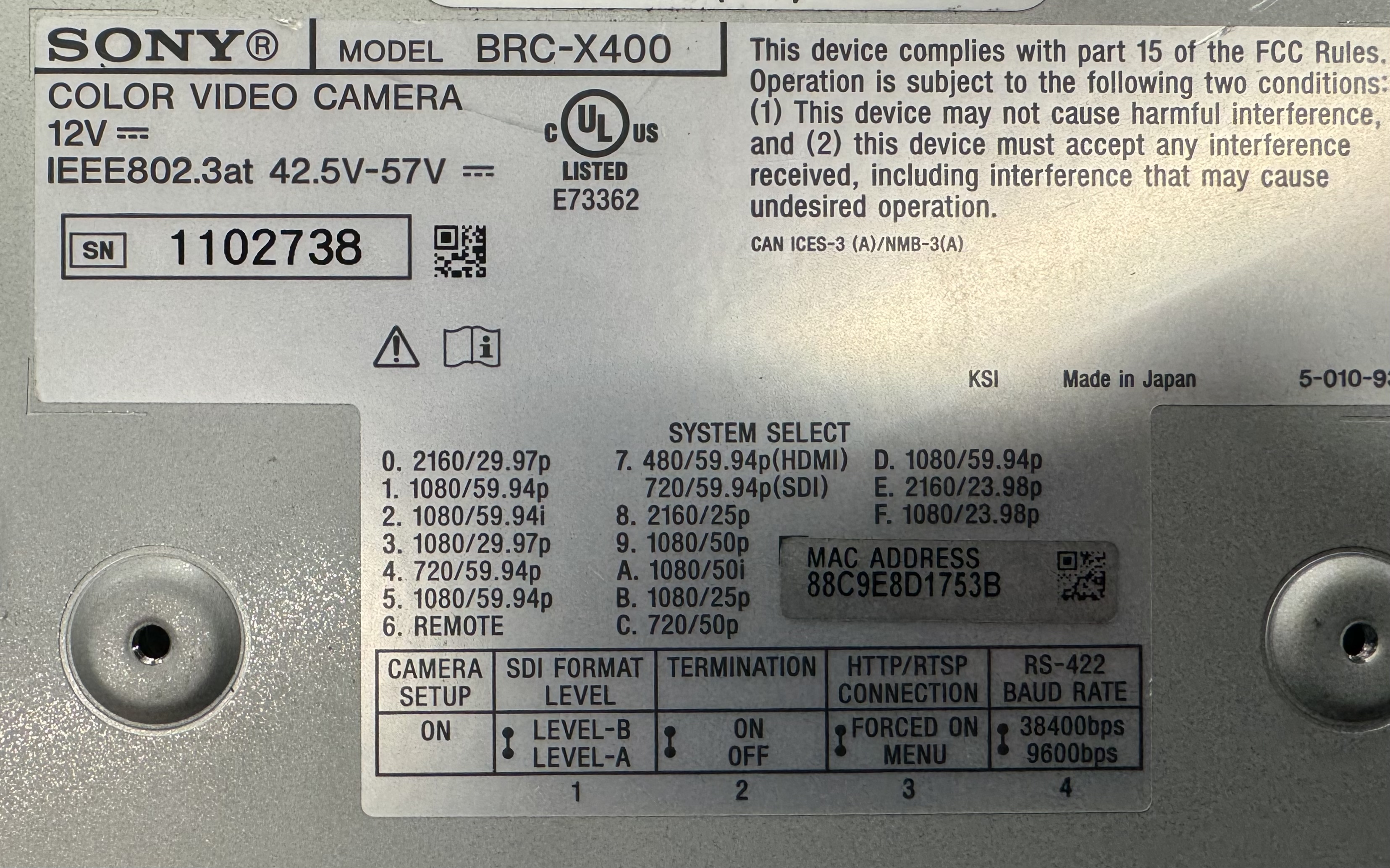
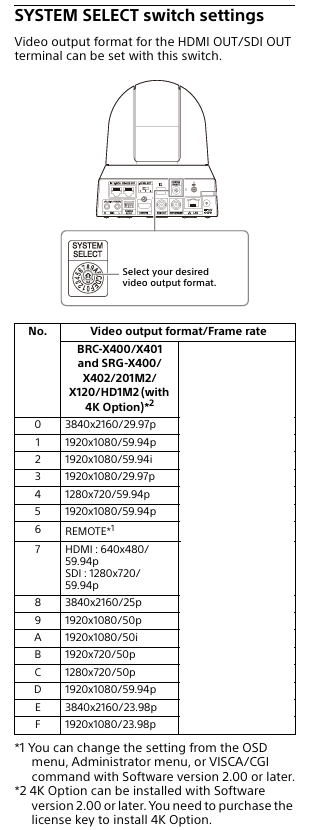
We'll now look at a table that explains how the numbers & letters on the knobdial correspond to different video standards. This table lives on the bottom of the camera - I've also included a screenshot of the table from the user manual.
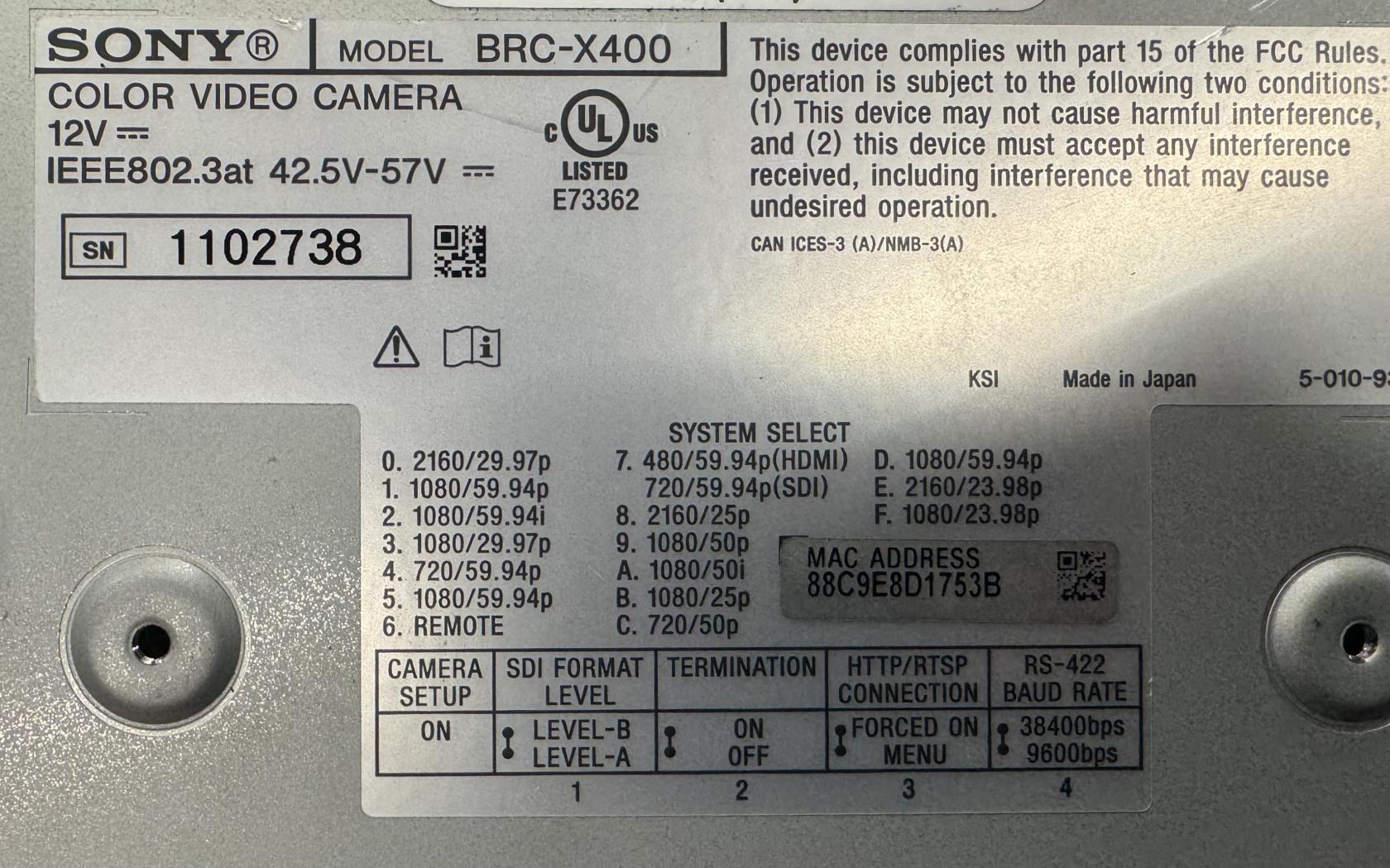
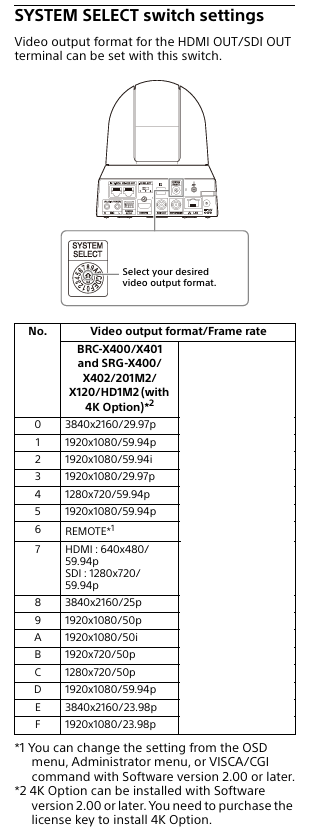
So, we can see from the table, if we want our camera to run at 1080i@59.94, the knobdial must be set to "2" - and so on.
PLEASE NOTE: this is the video standard we try to keep the cameras at. Please do not change the camera's video standard if you do not have to. If you do, please reset the System Select knob back to "2" (1080i@59.94).
If you adjust thisthe knob,System Select dial, the camera willWILL need a power cycle for the change to take affect.