Skip to main content
Markey's Equipment Knowledgebase
View All
Search
Shelves
Books
Log in
Info
Content
Quick Start v2.0 (Wind...
Page Revisions
Revision #136 Changes
Quick Start v2.0 (Windows)
Requires
A wifi capable computer running Windows
ViPlex Express
1. Turn on the Poster
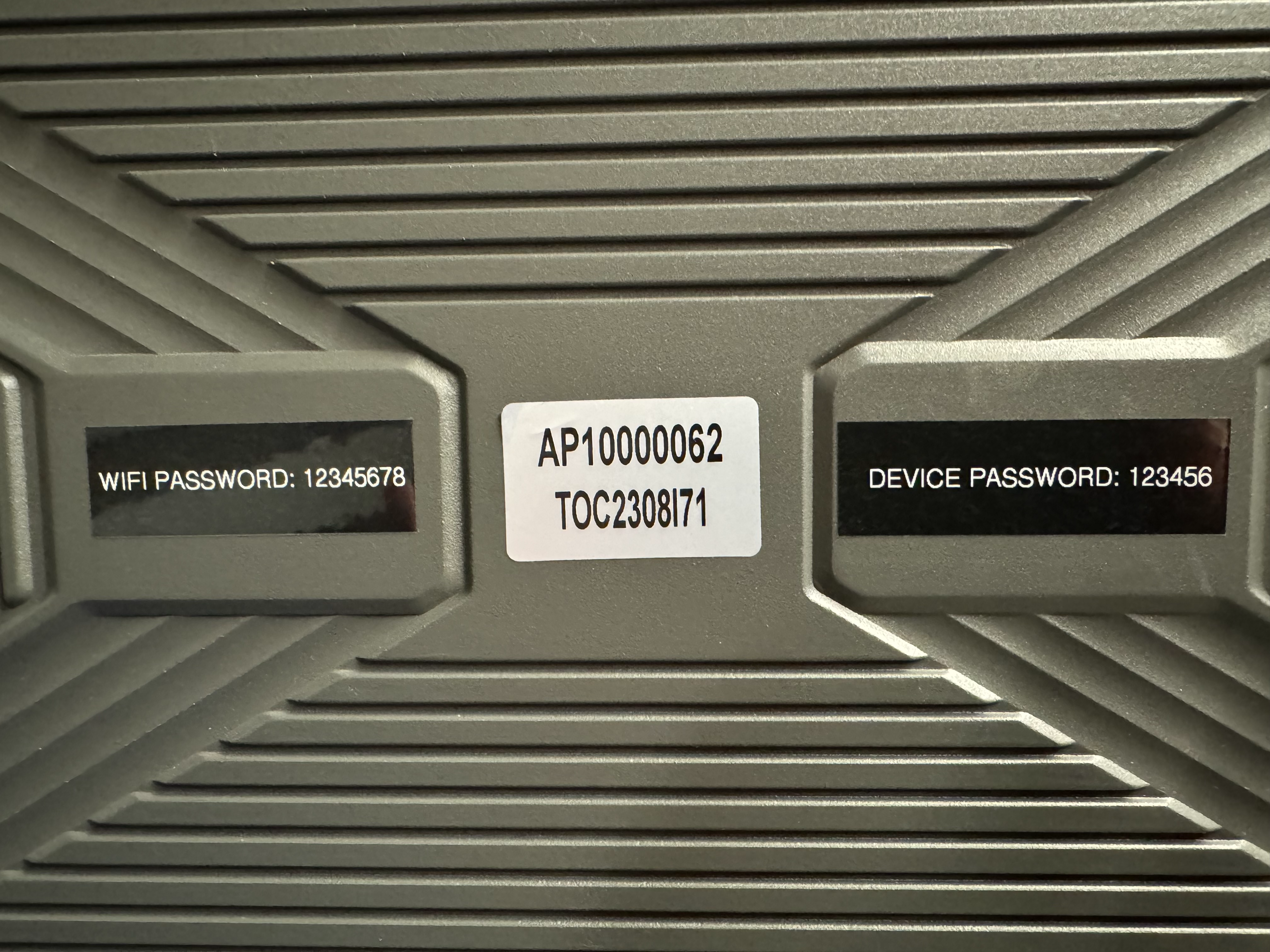
2.Find the Poster's Name on the Back of the Poster
It will be a Number preceded by the letters AP
Requires
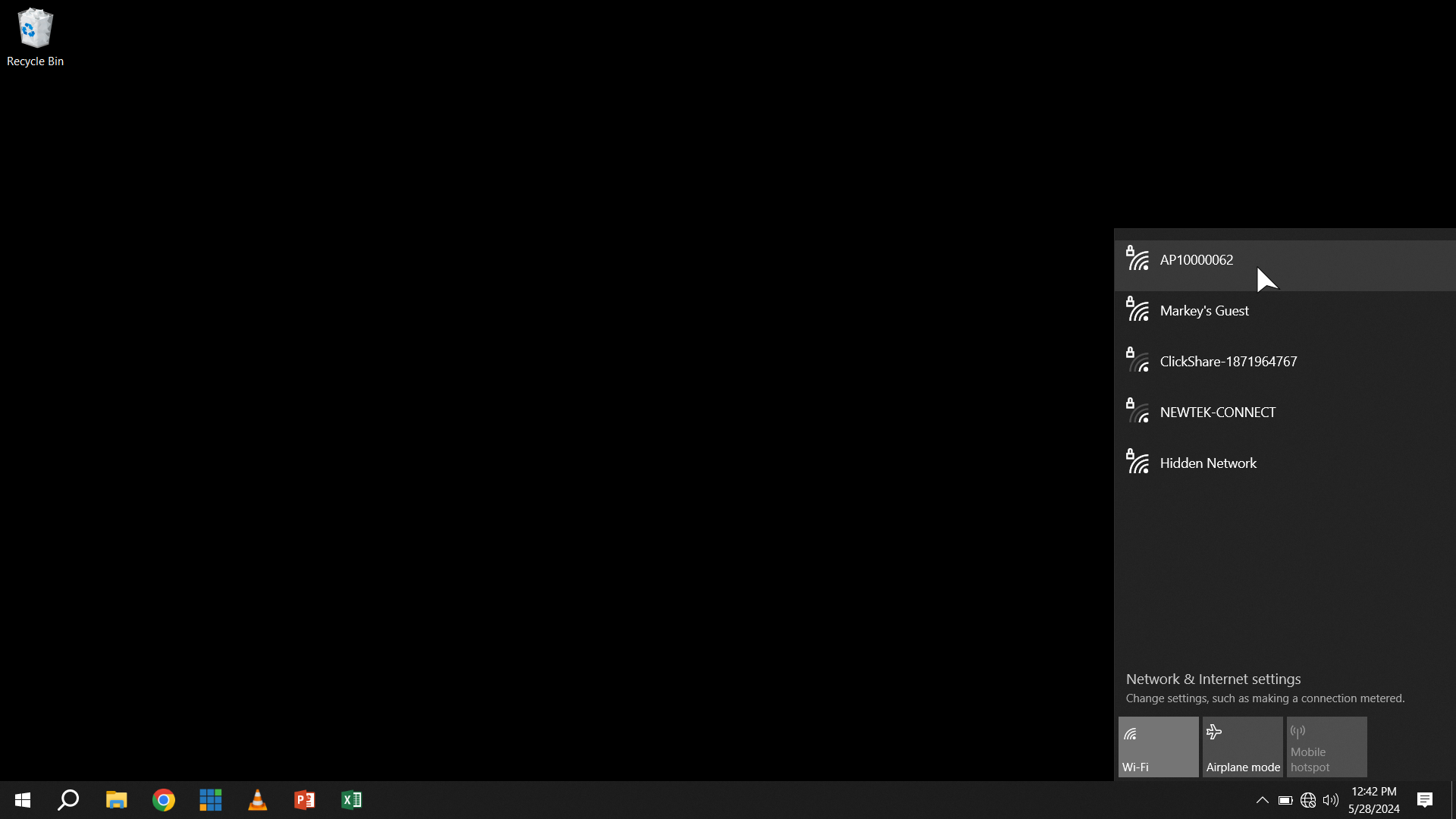
3. Find the Poster's Access Point in WiFi
The Password is 12345678
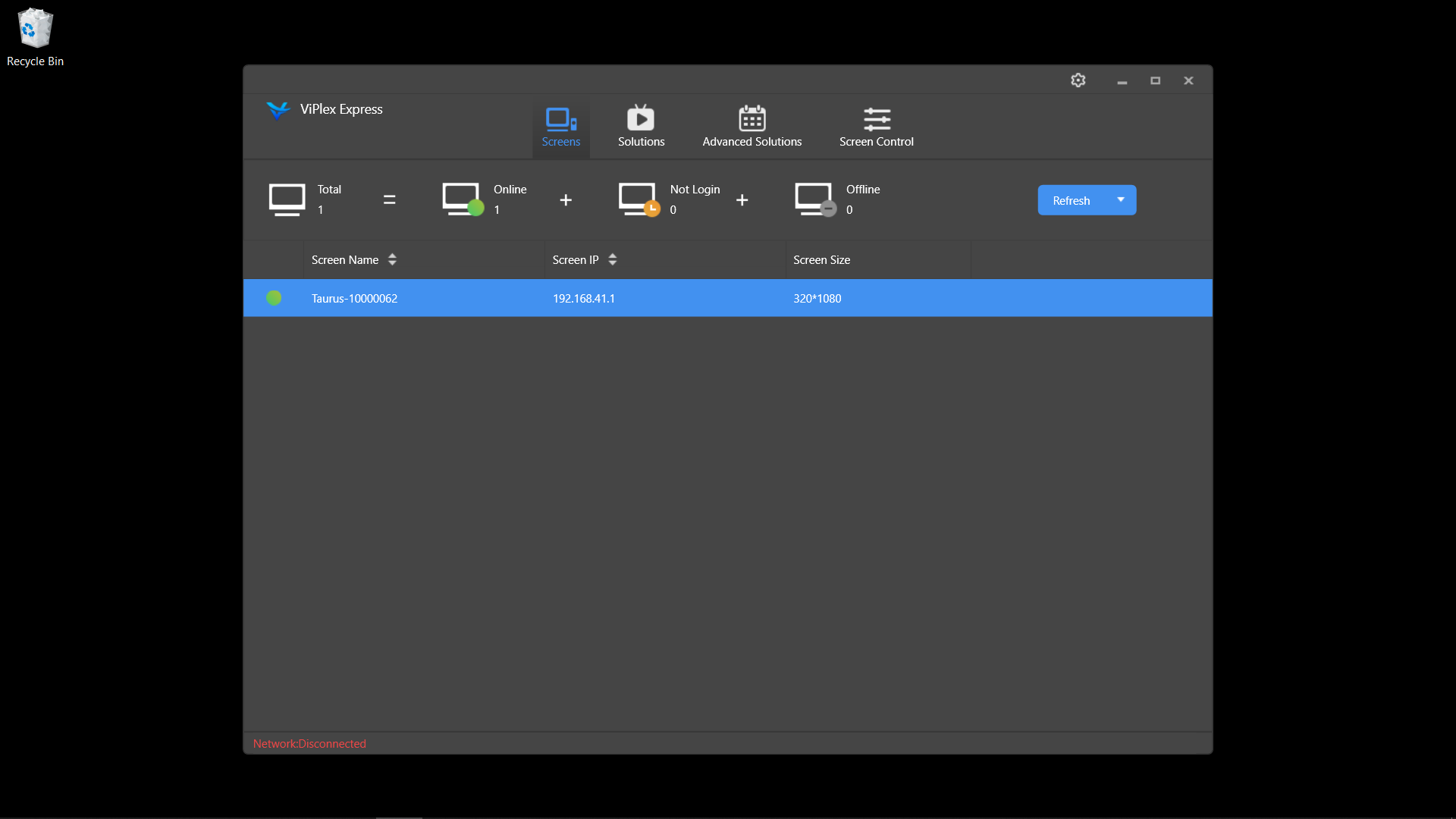
4. Open ViPlex Express
It should open to a screen showing that you are Connected.
Back to top